Scenario
Would like WiFi across the office with multiple access points.
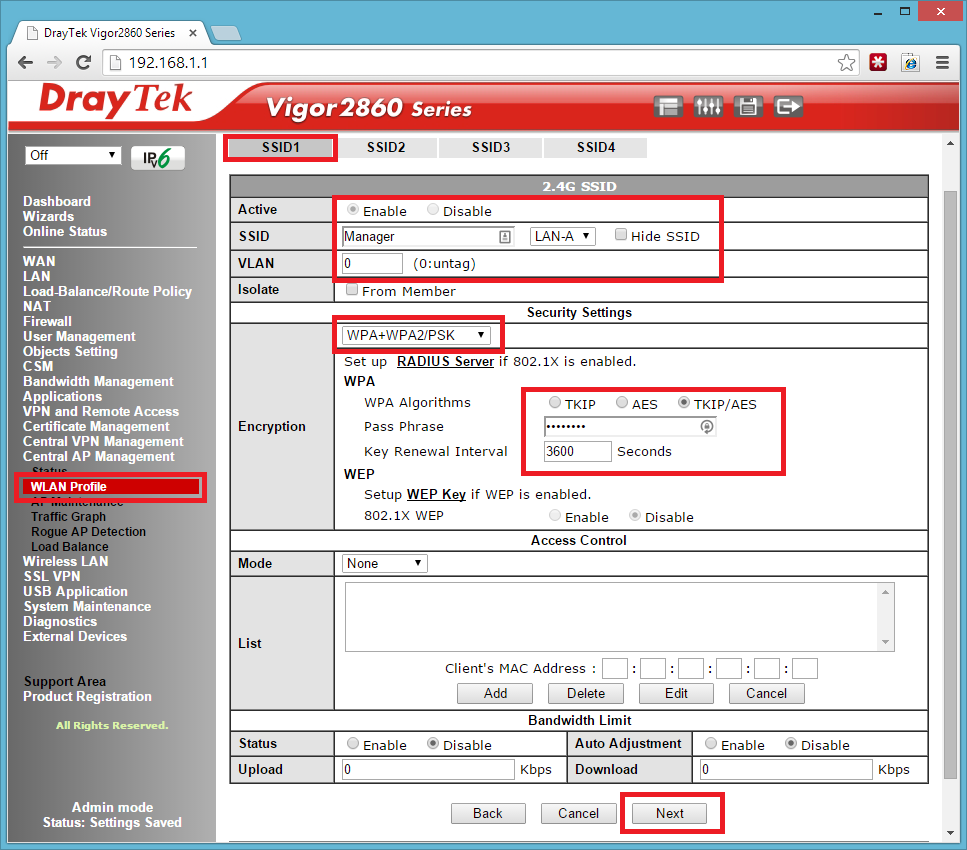
Would like a Manager SSID with full access
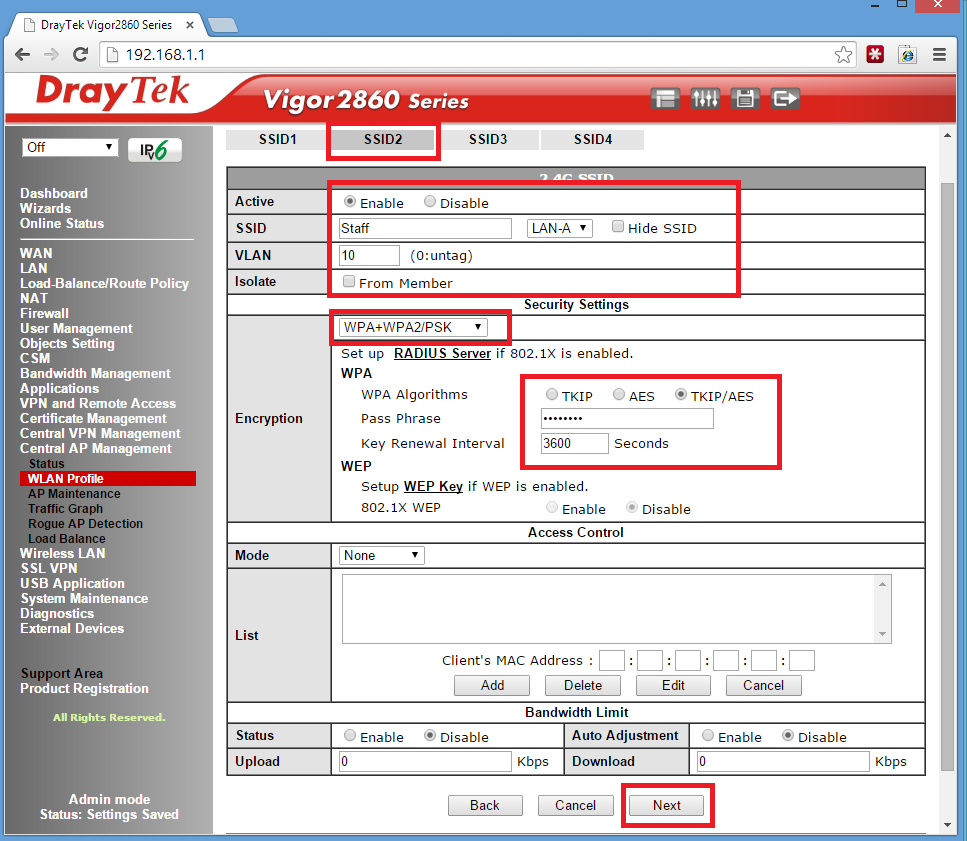
Would like a Staff SSID with Internet Access for one hour between 12-pm.
1.
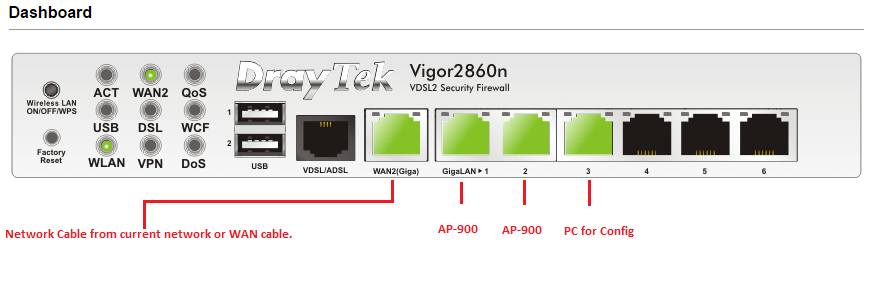
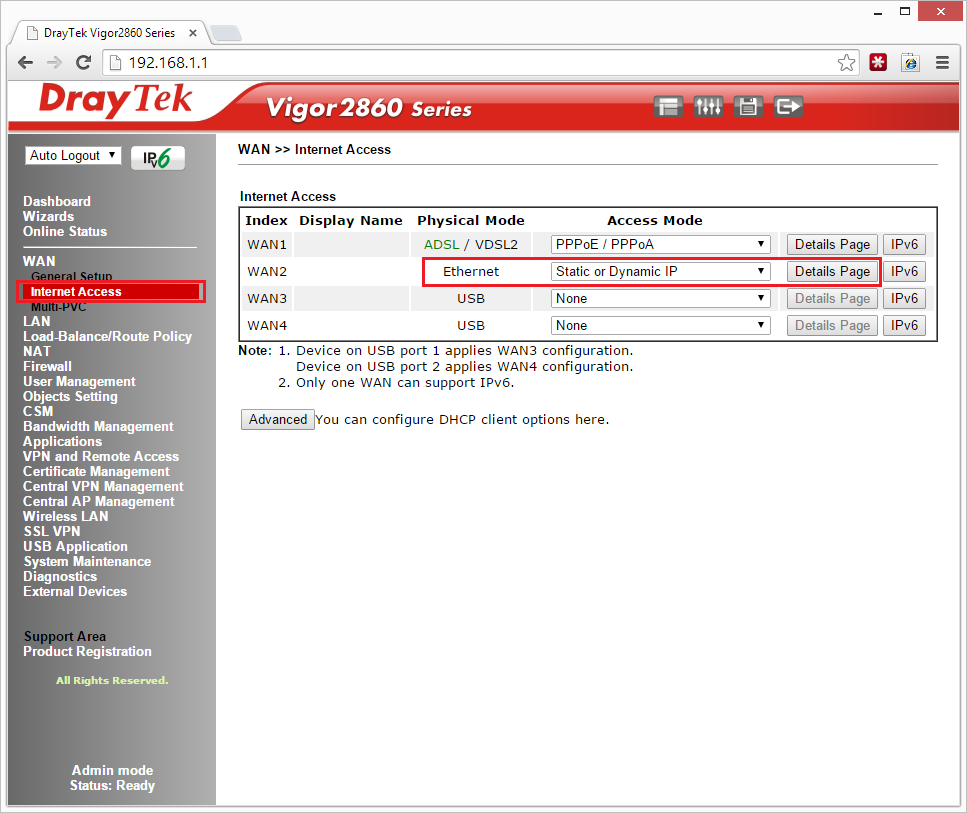
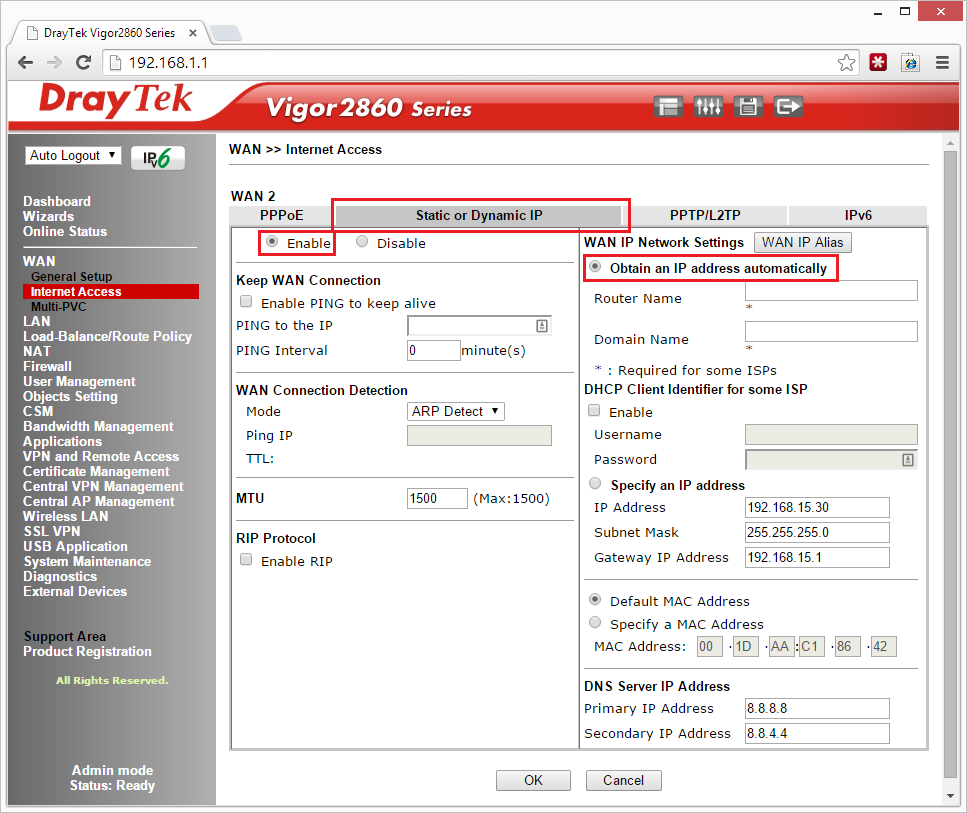
Setup Draytek 2860n with internet access – in my test environment I used a cable from my current network to act as the internet to create a small internal test network if you want to do this see below.
2.
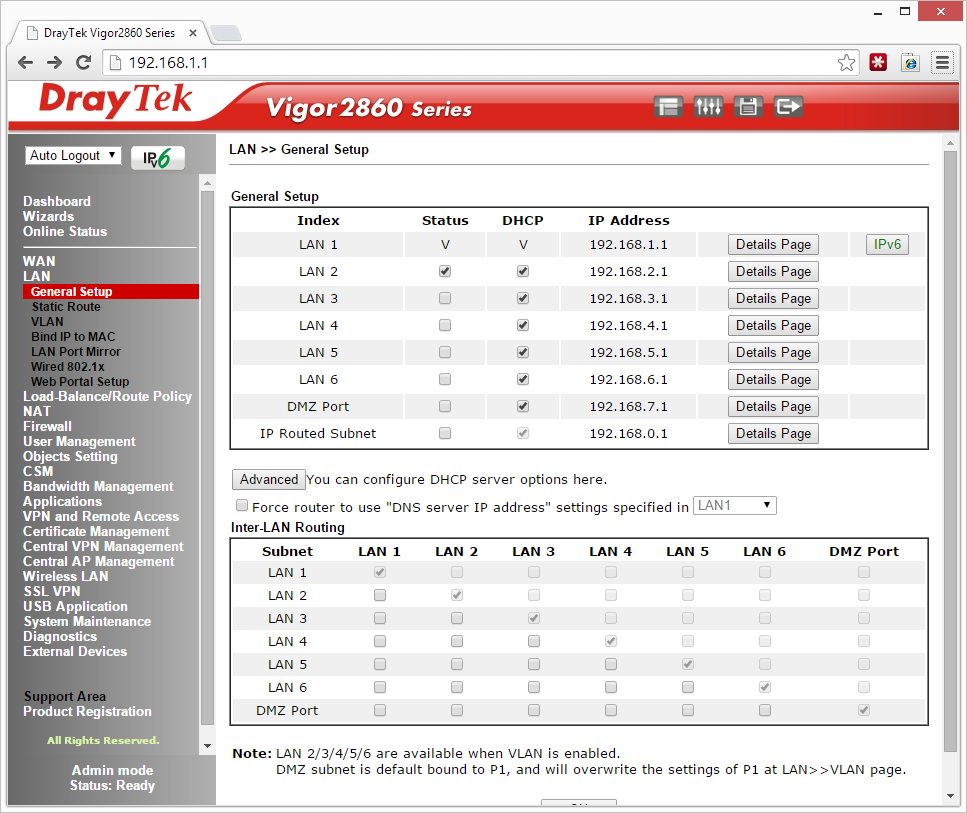
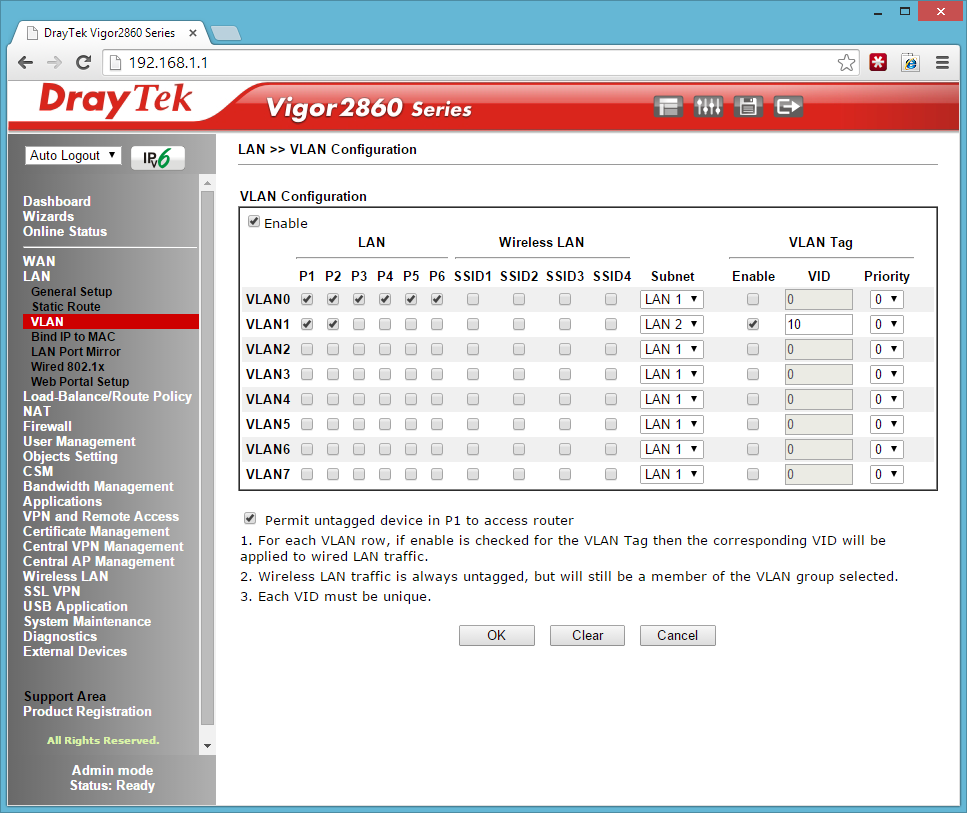
Now that you have internet access we need to create some VLANS and setup your IP range. I made the MANAGER network 192.168.1.1 with VLAN 0 and the Staff network 192.168.2.1 with VLAN 1.
3.
Next is to setup the Access Points, Plug them in to Ports 1 and 2 like the diagram above, power them on and make sure the network cable is plugged into any of the LAN to setup the SSIDs. They should show up in the Central AP Management Status Screen. Click onto WLAN Profile once green and edit the default profile.
4.
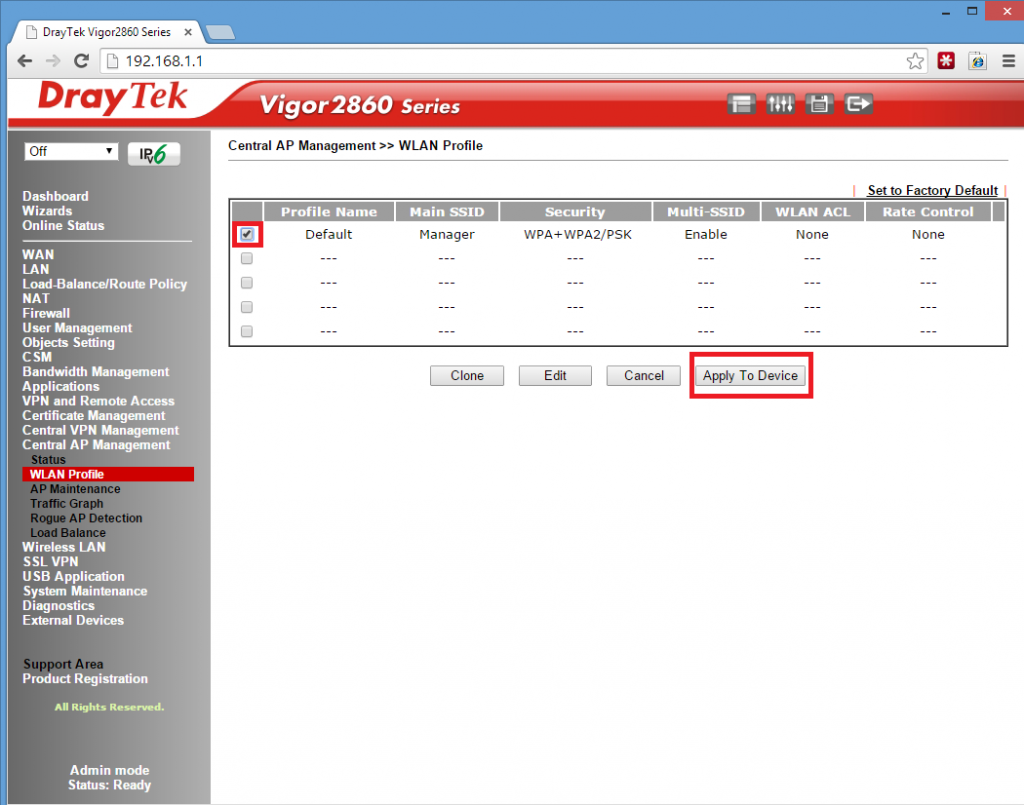
Click Finish then Apply to the device – See below!
5.
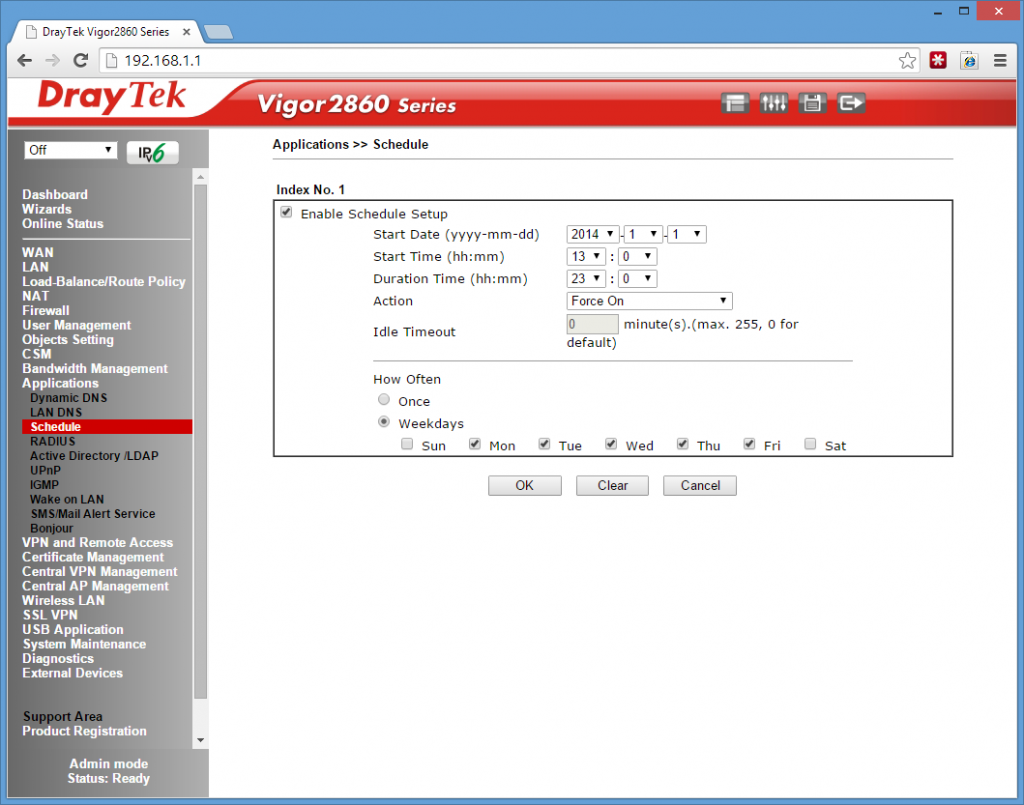
Next is to the setup the schedule. Please Choose Index No.1 I’ve chosen to Force On the Block at 1pm for 23 Hours. Monday to Friday and Unlimited on Weekends.
6.
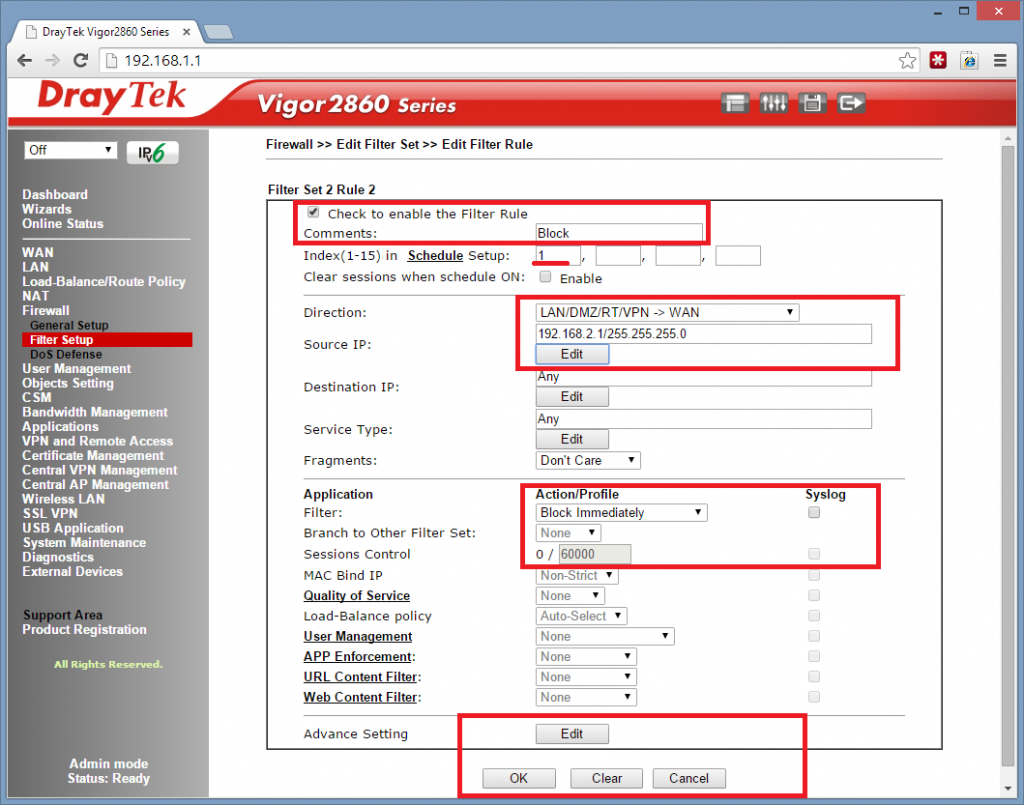
Finally we need to setup the firewall to work with the schedule to block the internet on VLAN1 (staff.)
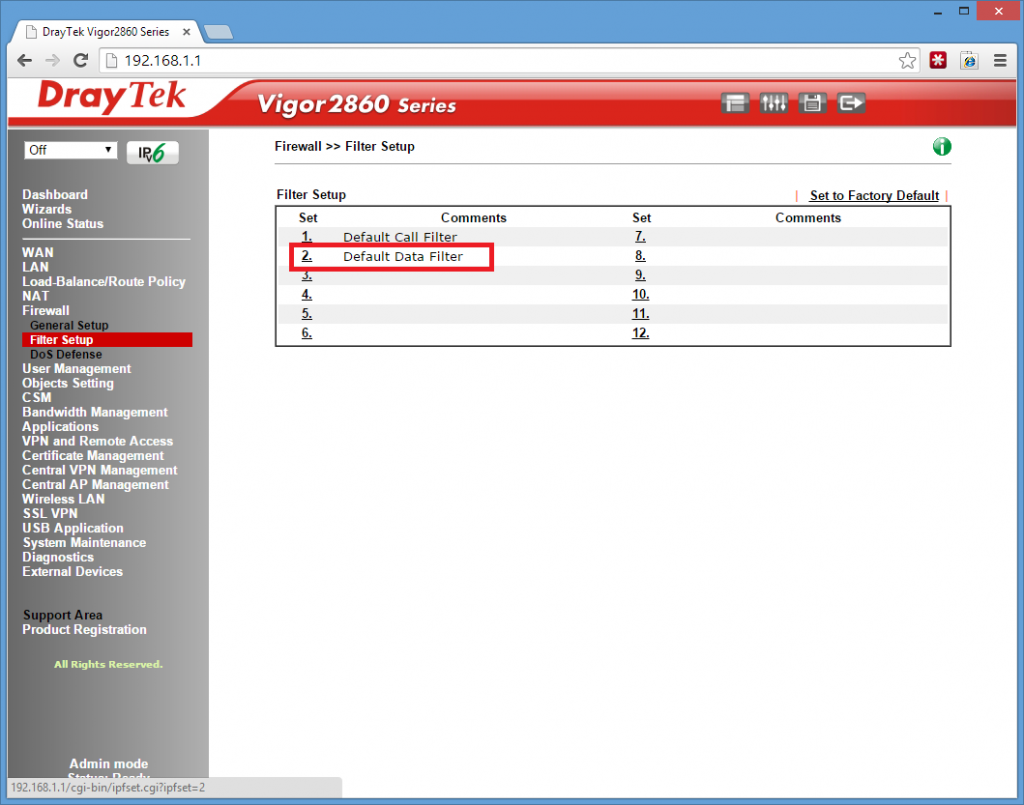
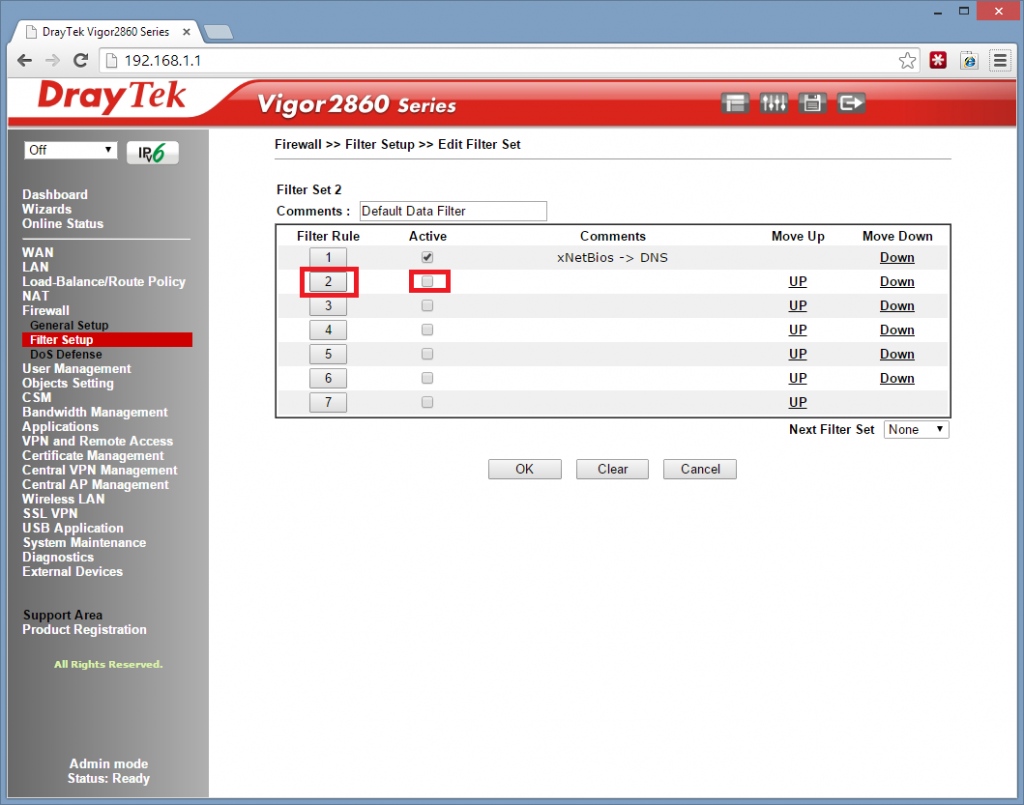
Remember VLAN1 is set on the 2.1 Range and we are going to block all LAN > WAN traffic here on the 2.1 range, if you have chosen a different range at the Start you need to make sure you choose this range here.
See Below!
Fibre Optic Broadband
BT and other competitors are taking orders for Fibre optic broadband in the Fylde Area.
BT have been upgrading the Exchanges in rapid time and on schedule. Some orders for our clients have already been carried out last week! The cost of the upgrade is a massive £2.5 billion from BT which aims to cover two-thirds of the all UK homes and Business by 2015.
Oh Lancashire is wonderful! Now with Fibre Optic Broadband
The first areas to start accepting orders are St Annes, Poulton, Cleveleys and Fleetwood. So call your supplier now and Demand Fibre Optic!
Next up will be Lytham St Annes and Great Eccleston by the end of September This Year!
By the end of 2013 the center of Blackpool and Kirkham
By the end of 2014 North Shore, South Shore, Marton, Freckleton, Hambleton, Knott End and Pilling
and finally by the end of 2015 Weeton (Sorry Guys!)
Click the Map

How Fast, is fast?
Some say fibre optic broadband is so fast that when you turn your light out, you can be in bed before it gets dark!
To give you an idea on how fast fibre optic broadband is, see the table below.

Can you get it?
To see if you are eligible for the upgrade, try BTs home page http://www.productsandservices.bt.com/products/broadband/infinity
or call BT Direct on 0800 800150 / 0330 123 4150
The Difference between FTTC and FTTP
FTTP (Fibre To The Premises) this is the faster option out of the two, it’s a full fibre based product from the exchange to your home with speeds from 100mb download and 30mb upload. Unfortunately for us in st annes and lytham we will only be getting, FTTC (Fibre To The Cabinet). This is fibre from your exchange up to the green cabinets in the streets. (the BT Chaps sitting on little stools are always at them!) Then from the green cabinets, a black copper wire from the telephone poles into your home. I am not complaining though! Honest! the FTTC speeds are up to 80mb download and 20mb upload. Hurray!
Thanks For Reading, All the Best.